Manufacturing Cost Analysis with Excel Dashboards
- Mathew
- 2 days ago
- 5 min read
Manufacturing organisations across the USA face increasing pressure to control production costs, improve operational efficiency, and make faster financial decisions. Rising material prices, labour variability, supply chain disruptions, and production inefficiencies can significantly impact profitability when accurate reporting systems are not in place.

Many manufacturers already store operational and financial data across ERP systems, accounting platforms, production software, and spreadsheets. However, turning that raw information into meaningful insights often remains a challenge. This is where professionally developed Excel dashboards and VBA automation solutions can deliver substantial value.
Custom manufacturing cost analysis dashboards built in Excel allow organisations to monitor production expenses, analyse cost drivers, track operational KPIs, and improve financial visibility in real time.
Why Manufacturing Cost Analysis Matters
Manufacturing businesses operate within tight margins. Small inefficiencies in procurement, production, labour allocation, or inventory management can create significant financial impact over time.
Without structured reporting systems, businesses commonly experience:
Delayed visibility into production costs
Manual reporting errors
Difficulty identifying cost overruns
Inconsistent financial reporting across departments
Limited forecasting capability
Poor operational decision-making
Excessive reliance on disconnected spreadsheets
A well-designed Excel dashboard centralises manufacturing data into a single reporting environment, enabling decision-makers to identify trends, monitor performance, and respond faster to operational challenges.
What Is a Manufacturing Cost Analysis Dashboard?
A manufacturing cost analysis dashboard is a structured Excel-based reporting system that consolidates operational and financial data into visual reports, KPI summaries, and automated analytics.
These dashboards typically include:
Material cost tracking
Labour cost analysis
Production efficiency metrics
Machine utilisation reporting
Inventory consumption analysis
Variance analysis
Budget vs actual comparisons
Cost per unit calculations
Operational performance indicators
Supplier cost reporting
Using Excel, Power Query, VBA, and advanced reporting logic, businesses can create scalable solutions that integrate with existing systems while maintaining flexibility and control.
Why Excel Remains Effective for Manufacturing Reporting
Many enterprise organisations already use sophisticated ERP systems. However, ERP reporting modules are often rigid, expensive to customise, or difficult for operational teams to adapt quickly.
Excel remains highly effective because it provides:
Flexibility
Manufacturing businesses frequently evolve processes, product lines, and reporting structures. Excel dashboards can adapt quickly without requiring large-scale ERP modifications.
Faster Reporting Development
Custom Excel dashboards can often be developed and deployed significantly faster than enterprise software reporting projects.
Integration Capability
Excel integrates effectively with:
ERP systems
SQL databases
Accounting software
CSV exports
Production systems
Inventory management platforms
Power BI environments
Advanced Automation
Using VBA and Power Query, repetitive reporting tasks can be automated to reduce manual effort and reporting risk.
Lower Development Cost
Compared to large ERP customisation projects, Excel-based automation solutions often provide faster ROI with lower implementation complexity.
How Excel Dashboards Improve Manufacturing Decision-Making
Real-Time Cost Visibility
Manufacturing leaders require accurate visibility into operational costs to maintain profitability. Excel dashboards can automatically consolidate data from multiple systems and present:
Daily production costs
Material usage trends
Labour allocation
Production variances
Margin analysis
This allows management teams to identify issues before they become large financial problems.
Improved Operational Efficiency
Operational bottlenecks become easier to identify when manufacturing data is visualised clearly.
Dashboards can reveal:
Underperforming production lines
Excessive overtime costs
Machine downtime patterns
Scrap and waste trends
Inventory inefficiencies
These insights support continuous improvement initiatives and operational optimisation.
Better Financial Forecasting
Historical production and cost data can be used to improve budgeting and forecasting accuracy.
Excel dashboards can support:
Demand forecasting
Production planning
Cost trend analysis
Cash flow forecasting
Procurement planning
This improves financial planning across operations and finance teams.
Common Manufacturing KPIs Tracked in Excel Dashboards
Manufacturing dashboards are most effective when they focus on measurable operational and financial outcomes.
Common KPIs include:
KPI | Purpose |
Cost Per Unit | Measures production efficiency |
Material Variance | Identifies raw material cost changes |
Labour Efficiency | Tracks workforce productivity |
Machine Utilisation | Measures equipment performance |
Scrap Rate | Identifies waste reduction opportunities |
Inventory Turnover | Improves stock management |
Gross Manufacturing Margin | Evaluates profitability |
Production Downtime | Reduces operational disruptions |
These metrics can be updated automatically through connected Excel reporting systems.
How VBA Automation Enhances Manufacturing Reporting
Manual spreadsheet processes often introduce risk, inconsistency, and delays.
VBA automation helps eliminate repetitive tasks such as:
Importing production data
Updating reports automatically
Generating management summaries
Sending scheduled reports
Cleaning and formatting data
Performing cost calculations
Consolidating multi-site reporting
For enterprise manufacturers, this reduces operational dependency on manual spreadsheet maintenance while improving reporting reliability.
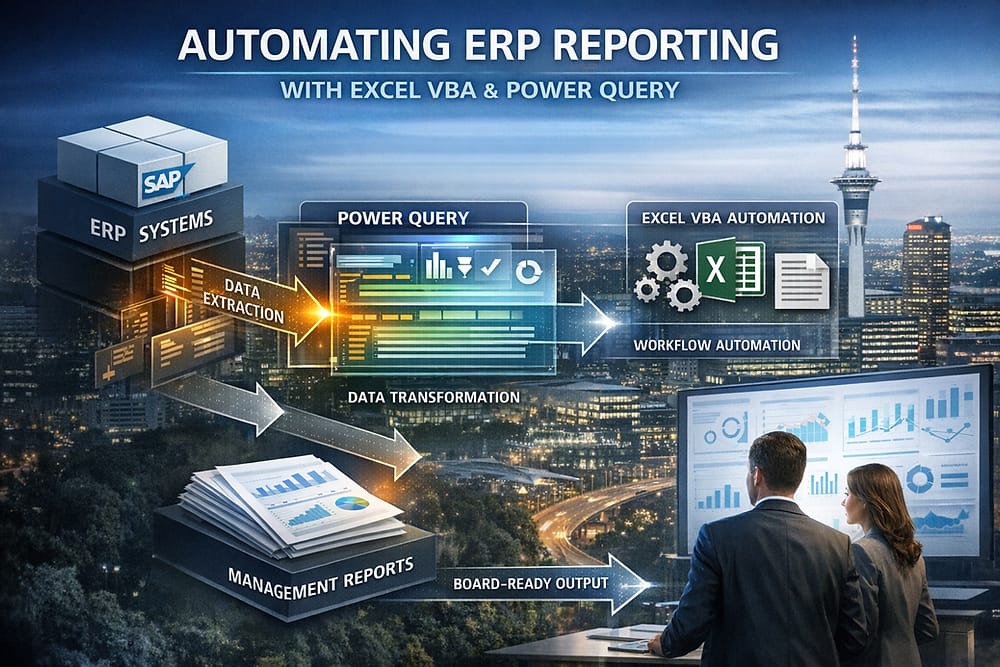
Can Excel Dashboards Integrate with ERP Systems?
Yes. One of the major advantages of enterprise Excel solutions is their ability to integrate with existing business systems.
Excel dashboards can connect with:
SAP
Oracle
Microsoft Dynamics
NetSuite
Sage
SQL databases
Inventory systems
MES platforms
This allows organisations to retain existing ERP infrastructure while improving reporting flexibility and operational visibility.
What Are the Benefits of Professional Excel Dashboard Development?
Many manufacturing organisations initially attempt to build internal spreadsheets for reporting. Over time, these spreadsheets often become difficult to maintain, slow to update, and highly dependent on individual staff members.
Professional Excel dashboard development provides:
Structured Architecture
Enterprise-grade spreadsheet solutions are designed for long-term scalability and maintainability.
Reduced Reporting Risk
Controlled formulas, automated workflows, and governed structures reduce manual errors.
Improved Performance
Large manufacturing datasets require efficient Excel design to avoid performance issues.
Better User Experience
Clear dashboards improve usability for finance teams, operational managers, and executives.
Long-Term Maintainability
Well-designed VBA and Power Query frameworks are easier to update as business requirements evolve.
Frequently Asked Questions
Why do manufacturers still use Excel for reporting?
Excel provides flexibility, rapid development capability, and strong integration with operational systems. Many manufacturers use Excel alongside ERP platforms to improve reporting and analytics.
Can Excel handle large manufacturing datasets?
Yes. When properly designed using Power Query, structured data models, and VBA automation, Excel can manage substantial operational reporting requirements effectively.
Is VBA still useful for manufacturing automation?
Yes. VBA remains highly effective for automating repetitive reporting tasks, data consolidation, workflow processes, and operational reporting systems.
Can Excel dashboards support multiple manufacturing sites?
Yes. Enterprise dashboards can consolidate data from multiple facilities into centralised reporting environments for group-wide visibility.
What makes a manufacturing dashboard successful?
The most effective dashboards focus on operational decision-making, automate data handling, present accurate KPIs, and align with business processes.
How XLS Experts Supports Manufacturing Businesses
XLS Experts develops professional Excel automation and dashboard solutions for enterprise and SME organisations across the USA.
Solutions are designed to help businesses:
Improve manufacturing visibility
Automate operational reporting
Reduce spreadsheet risk
Streamline financial analysis
Enhance management decision-making
Integrate Excel with existing systems
Build scalable reporting frameworks
Rather than delivering basic spreadsheet assistance, XLS Experts focuses on structured business automation, enterprise reporting architecture, and long-term operational efficiency.
Conclusion
Manufacturing cost analysis requires accurate, timely, and actionable reporting. Organisations relying on disconnected spreadsheets or limited ERP reporting often struggle to maintain operational visibility and cost control.
Custom Excel dashboards combined with VBA automation provide a practical and scalable solution for manufacturing businesses seeking improved financial insight, operational efficiency, and better decision-making.
With the right development approach, Excel becomes more than a spreadsheet tool. It becomes a governed operational reporting platform capable of supporting enterprise manufacturing environments across finance, operations, and management teams.


Comments