Excel Solutions for Retail Sales Analysis and Forecasting in the USA
- Mathew
- 3 days ago
- 4 min read
Introduction
Retail enterprises in the United States operate in a highly dynamic environment where demand patterns shift rapidly, margins are tightly managed, and inventory decisions directly impact profitability. Despite significant investments in ERP and BI platforms, many organisations still face challenges in extracting timely, actionable insights from their data.

This gap often results in delayed decision-making, overstocking or stockouts, fragmented reporting, and limited forecasting accuracy.
Custom Excel solutions—when designed and governed correctly—offer a powerful, flexible layer that bridges operational data and strategic insight. XLS Experts delivers enterprise-grade Excel, VBA, and automation systems that transform retail sales data into reliable, scalable decision-support tools.
The Core Challenge: Retail Data Without Actionable Insight
Retail organisations typically manage data across multiple systems—POS platforms, ERP systems, supply chain tools, and finance applications. While these systems capture large volumes of data, they often fall short in:
Providing unified reporting views
Enabling flexible, real-time analysis
Supporting advanced forecasting at granular levels
Delivering insights tailored to business users
Key Pain Points at Scale
Disconnected reporting systems leading to inconsistent metrics
Manual data consolidation increasing operational risk
Limited forecasting capability within standard tools
Slow reporting cycles, impacting responsiveness
High dependency on IT teams for ad-hoc analysis
For enterprise leaders, this translates into reduced agility and increased operational risk.
Why Excel Remains Strategic in Retail Enterprises
Contrary to common perception, Excel—when engineered professionally—is not a tactical tool. It becomes a governed, scalable solution that complements enterprise systems.
What Makes Excel + VBA Suitable?
Flexibility to adapt to changing retail models
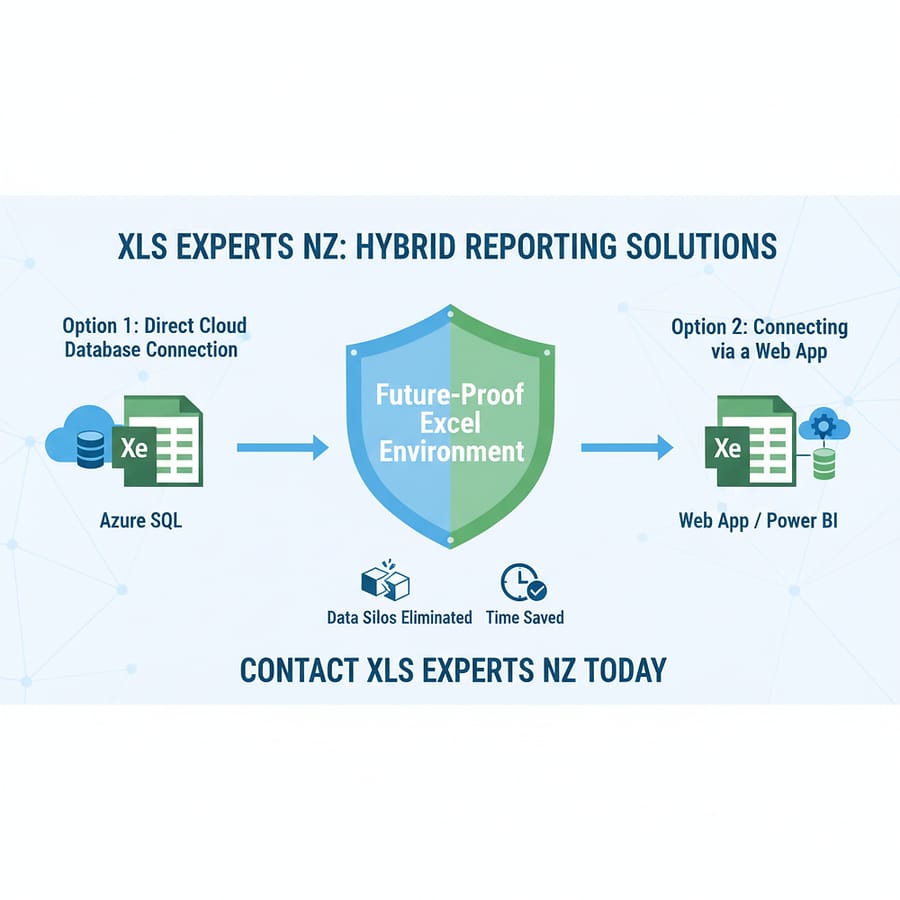
Integration capability with ERP, APIs, and databases
Rapid deployment compared to ERP customisation
User familiarity, reducing adoption friction
Cost efficiency versus large-scale system modifications
With structured design, version control, and automation, Excel evolves into a controlled analytics layer rather than a standalone spreadsheet.
How Excel Solutions Work in Practice
1. Automated Data Integration
Custom Excel solutions can connect directly to:
ERP systems
SQL databases
Cloud data warehouses
Retail POS systems
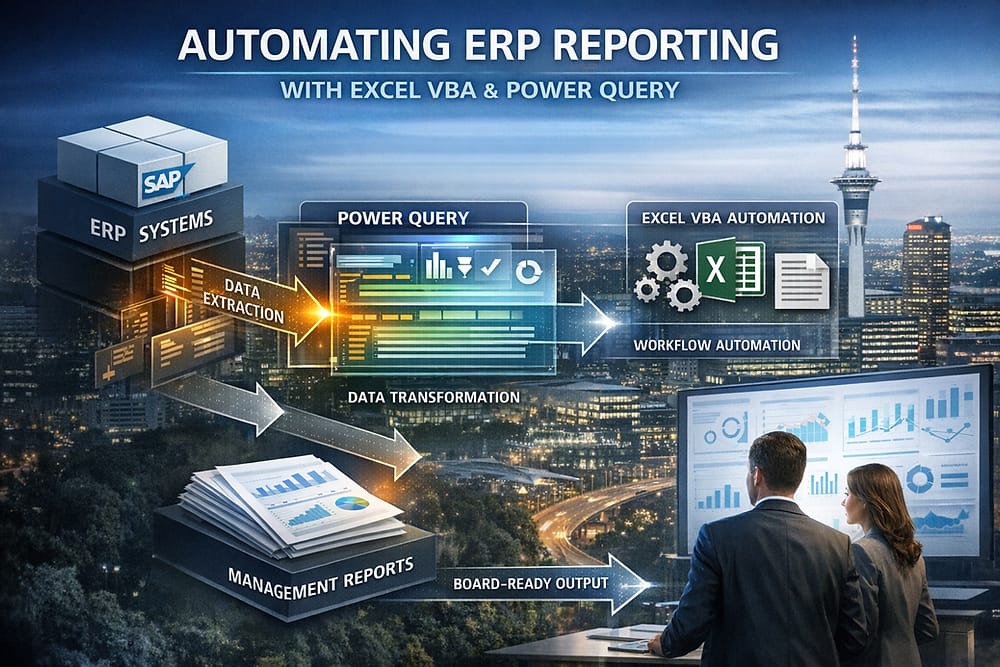
Using Power Query and VBA automation, data is extracted, transformed, and refreshed automatically—eliminating manual intervention.
Outcome:Consistent, real-time data availability across reporting layers.
2. Centralised Retail Dashboards
Enterprise-grade Excel dashboards consolidate KPIs such as:
Sales by region, store, and category
Inventory turnover
Margin analysis
Promotional performance
These dashboards are designed with structured data models, ensuring scalability and performance.
Outcome:Leadership gains a unified, accurate view of business performance.
3. Advanced Sales Forecasting Models
Forecasting in retail requires handling seasonality, trends, and external variables. Custom Excel models incorporate:
Historical sales patterns
Seasonal adjustments
Growth projections
Scenario-based planning
VBA-driven models automate calculations and enable dynamic forecasting at multiple levels.
Outcome:Improved demand planning and reduced inventory risk.
4. Inventory Optimisation Tools
Excel solutions can link sales forecasts directly with inventory planning models, enabling:
Reorder point calculations
Safety stock optimisation
Slow-moving inventory identification
Outcome:Balanced inventory levels and improved working capital efficiency.
5. Automated Reporting and Distribution
Reports can be generated and distributed automatically via VBA:
Scheduled reporting cycles
Email-based distribution
Export to PDF or other formats
Outcome:Reduced manual effort and improved reporting consistency.
Key Questions Enterprise Leaders Ask
How does Excel integrate with existing ERP systems?
Custom Excel solutions can connect securely to ERP databases or APIs, ensuring data consistency without duplicating systems. Excel acts as a reporting and analytics layer rather than replacing core systems.
Is Excel scalable for large retail operations?
Yes—when properly designed. Structured data models, optimised queries, and modular VBA code ensure that Excel solutions handle large datasets efficiently while maintaining performance.
How does this approach reduce operational risk?
Eliminates manual data handling
Standardises calculations and logic
Provides audit trails through controlled workflows
Reduces reliance on fragmented spreadsheets
Why not customise the ERP instead?
ERP customisation is often:
Expensive
Time-consuming
Difficult to adapt quickly
Excel solutions provide a cost-effective, agile alternative that complements ERP systems without altering core infrastructure.
Can Excel support enterprise governance requirements?
Yes. With proper architecture:
Access controls can be implemented
Version control processes can be enforced
Documentation ensures maintainability
Auditability is built into workflows
Business Outcomes of Excel-Driven Retail Analytics
When implemented correctly, Excel solutions deliver measurable impact:
Faster decision-making through real-time insights
Improved forecast accuracy, reducing stock imbalances
Enhanced reporting consistency across departments
Lower operational costs compared to system overhauls
Increased agility in responding to market changes
For retail enterprises, this translates directly into improved profitability and operational efficiency.
The Role of an Excel Automation Partner
The difference between a spreadsheet and an enterprise solution lies in design, governance, and execution.
XLS Experts specialises in:
Designing scalable Excel architectures
Developing advanced VBA automation
Integrating Excel with enterprise systems
Building forecasting and analytics models
Ensuring long-term maintainability and governance
This approach transforms Excel from a tactical tool into a strategic asset.
Conclusion
Retail enterprises require more than raw data—they need reliable, timely insights to navigate complexity and drive performance. While ERP and BI platforms provide the foundation, they often lack the flexibility needed for detailed analysis and rapid decision-making.
Custom Excel solutions fill this gap by delivering:
Scalable analytics
Advanced forecasting
Automated reporting
Seamless integration with existing systems
With the right expertise, Excel becomes a governed, enterprise-grade solution that enhances—not replaces—your technology stack.
Partnering with XLS Experts ensures that your retail analytics capabilities are not only powerful but also sustainable, auditable, and aligned with long-term business objectives.


Comments